
The card payment belongs to the visit — not to a separate machine.
Navi POS runs checkout and the card payment in the same system that holds the appointment. Accept cards on a Stripe Terminal reader, take tips on the reader, and keep receipts, refunds, and records connected — payments processed securely by Stripe.
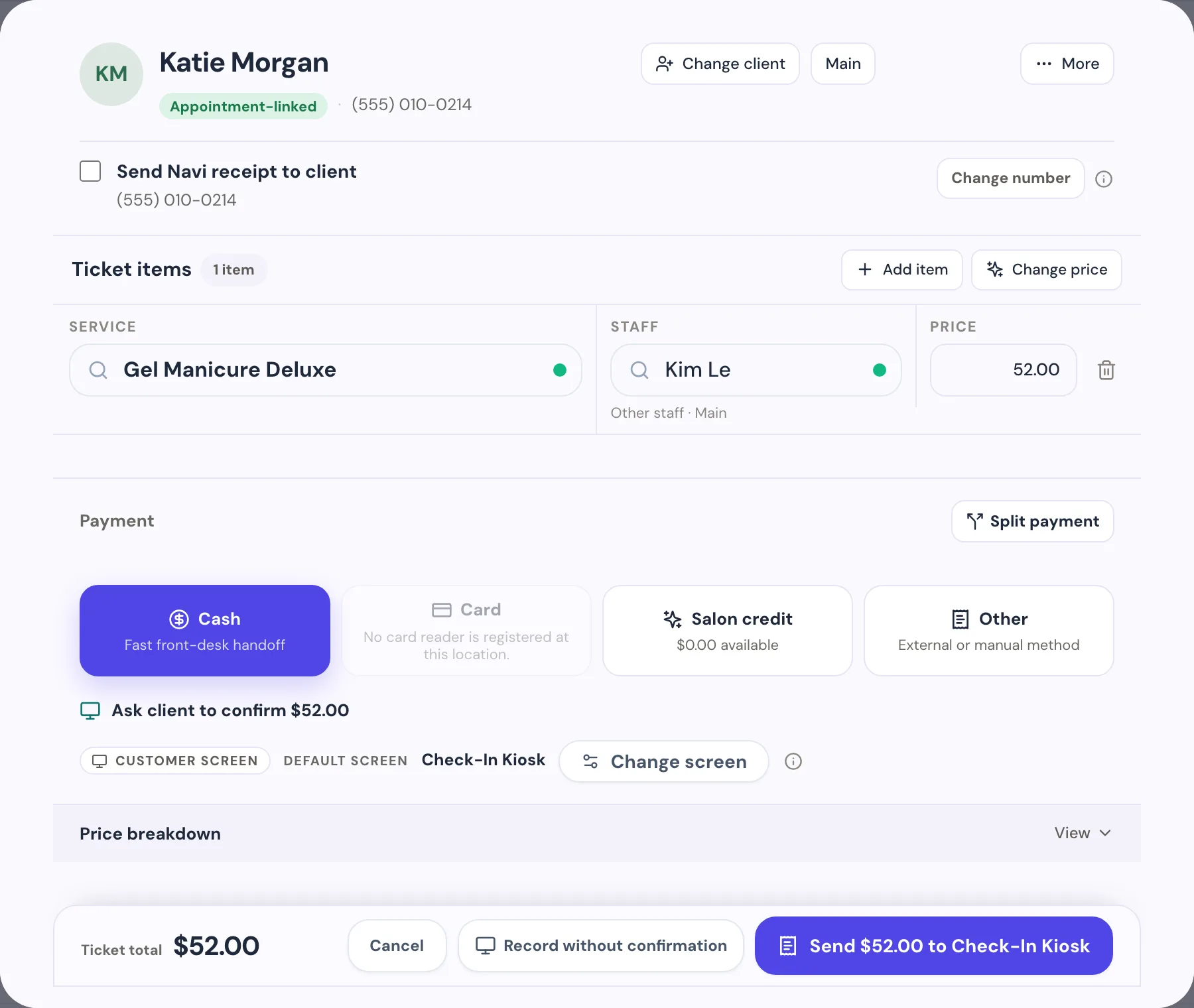
From appointment to payout, one connected flow
Every step below is shipped product behavior — this is exactly how a live Navi POS sale runs today.
- 01
The ticket comes from the appointment
Checkout starts with the services, staff, and prices already on the visit — retail products and sales tax included. No re-keying into a separate machine.
- 02
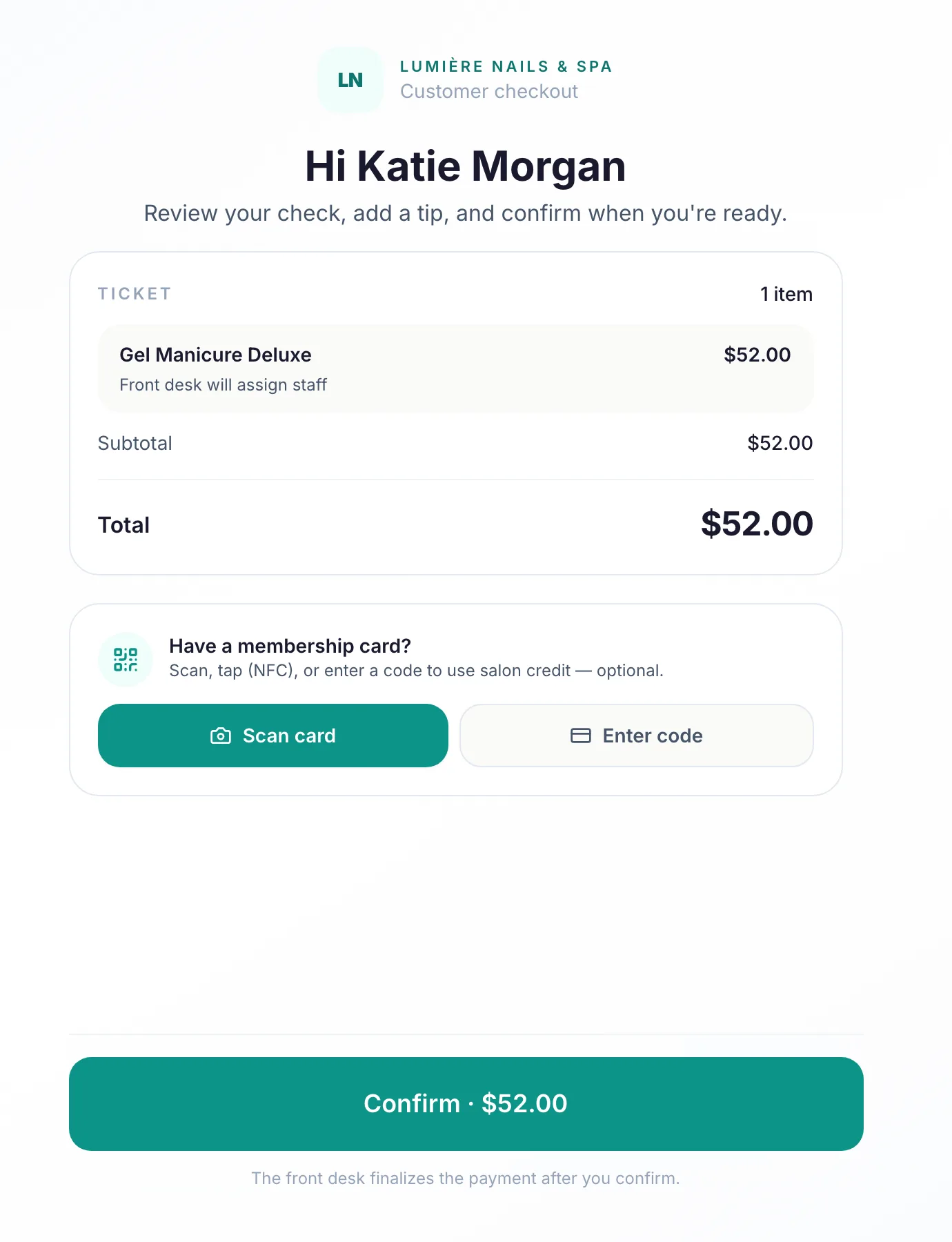
The client confirms on the reader
The itemized cart appears on the Stripe Terminal reader, and the client confirms "Ready to pay" before anything is charged.
- 03
Tip happens on the reader
Tip suggestions (18% / 20% / 25%) show right on the reader during payment — no awkward turn-the-screen moment at the desk.
- 04
Stripe processes the payment
The card payment is processed securely by Stripe on the salon’s own connected Stripe account, and the sale completes automatically when the reader finishes.
- 05
Receipt and record, instantly
The payment lands on the visit’s transaction record with its receipt — connected to the client, the technician, and the day’s closeout.
Payments with owner-grade control.
Integrated payments only help if you can trust them later. Navi keeps every payment reviewable, every refund approved, and every day reconciled.
Refunds from the record
Full card refunds start from the transaction record in Navi and require a manager approval before any money moves. Books stay consistent automatically.
Approvals where money is at risk
Sensitive actions — refunds, corrections, salon-credit moves — are gated by manager approval or PIN, with a record of who approved what.
Payment activity you can see
Your Stripe account status, payments, and payouts are visible inside Navi, and dispute notices reach the owner by email the moment they are ingested.
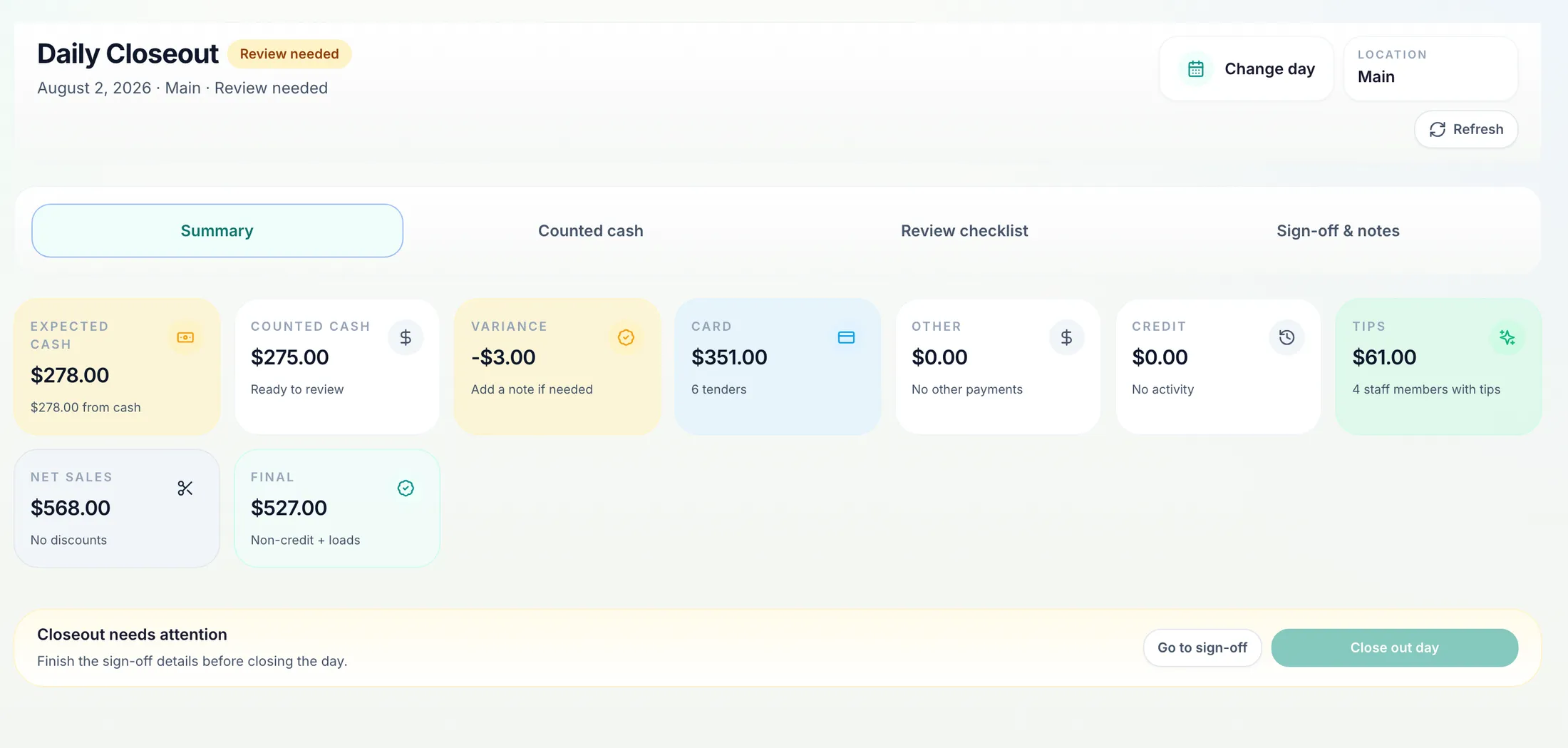
Cash and card close together
Daily closeout reconciles the whole day — expected vs. counted cash, card totals, tips, and net sales — because every tender ran through the same checkout.
Recognizable payment infrastructure, salon-shaped workflow
Navi's job is the salon workflow around the payment. The payment itself runs on Stripe — the same infrastructure behind millions of businesses.
Payments processed by Stripe
Card payments run on Stripe Terminal and your salon’s own Stripe account. Navi never stores card numbers.
Your money, your account
Payouts go to the bank account you connect during Stripe onboarding, on the payout schedule you can see in Navi.
Setup inside Navi
No separate merchant-services application. You complete Stripe onboarding for your salon right inside Navi settings, and readiness is shown in one place.
Recording-only works everywhere
Not ready for integrated cards? Every plan still records cash, salon credit, gift, and externally-processed card payments in the same checkout.
One plan, complete POS
Pro + POS includes everything in Pro — Salon Credit, loyalty, wallet member cards, payroll, reports — plus integrated card payments.
Pro + POS
Everything in Pro plus the Navi POS: accept in-person card payments with Stripe Terminal, saved cards, and in-app refunds.
- Everything in Pro
- Navi POS in-person card payments
- Stripe Terminal card readers
- Saved cards on file
- In-app card refunds
Card processing requires Stripe account setup inside Navi and a supported Stripe Terminal reader. Payments are processed securely by Stripe; card processing fees apply. Card refunds are full-amount and manager-approved.
Launch price
Launch pricing. The standard price will be $249/month. Your price stays what you signed up at.
Choose Pro + POSMonth to month. No contracts. Cancel anytime.
Questions salons ask about Navi POS
Straight answers about hardware, processing, refunds, and cost.
What hardware do I need for Navi POS?+
A supported Stripe Terminal card reader, registered from Settings → Payments & POS in Navi. Registration, status, and tips configuration are all handled inside the product.
Who processes the payments?+
Stripe. During setup you complete Stripe onboarding for your salon’s own connected account, payments are processed securely by Stripe, and payouts go to your bank account. Navi keeps the checkout, receipt, refund, and record connected to the visit.
Can I refund a card payment from Navi?+
Yes — full-amount refunds start directly from the transaction record and require a single-use manager approval before any money moves. Partial refunds are not offered yet.
Does Navi store my clients’ card numbers?+
No. Card data is handled by Stripe and the Terminal reader. Navi does not store card numbers, and saved cards on file are not part of Navi POS today.
What does Navi POS cost?+
Navi POS is included in the Pro + POS plan at $199/month launch pricing (the standard price will be $249/month). Card processing fees apply to card payments; there is no separate POS module fee.
What if I want to keep my current card machine?+
That works too. On any plan, checkout records externally-processed card payments alongside cash, salon credit, and gift — you lose the integrated reader flow, but tickets, receipts, records, payroll, and closeout still work.
Need a hand deciding what fits your front desk?
Compare plans, or contact support about services, staff, locations, and rollout questions.