
Organized the way a salon actually runs.
Not a feature dump — the jobs your salon does every day, and how Navi connects them. Everything below ships today; plan requirements are noted where they apply.
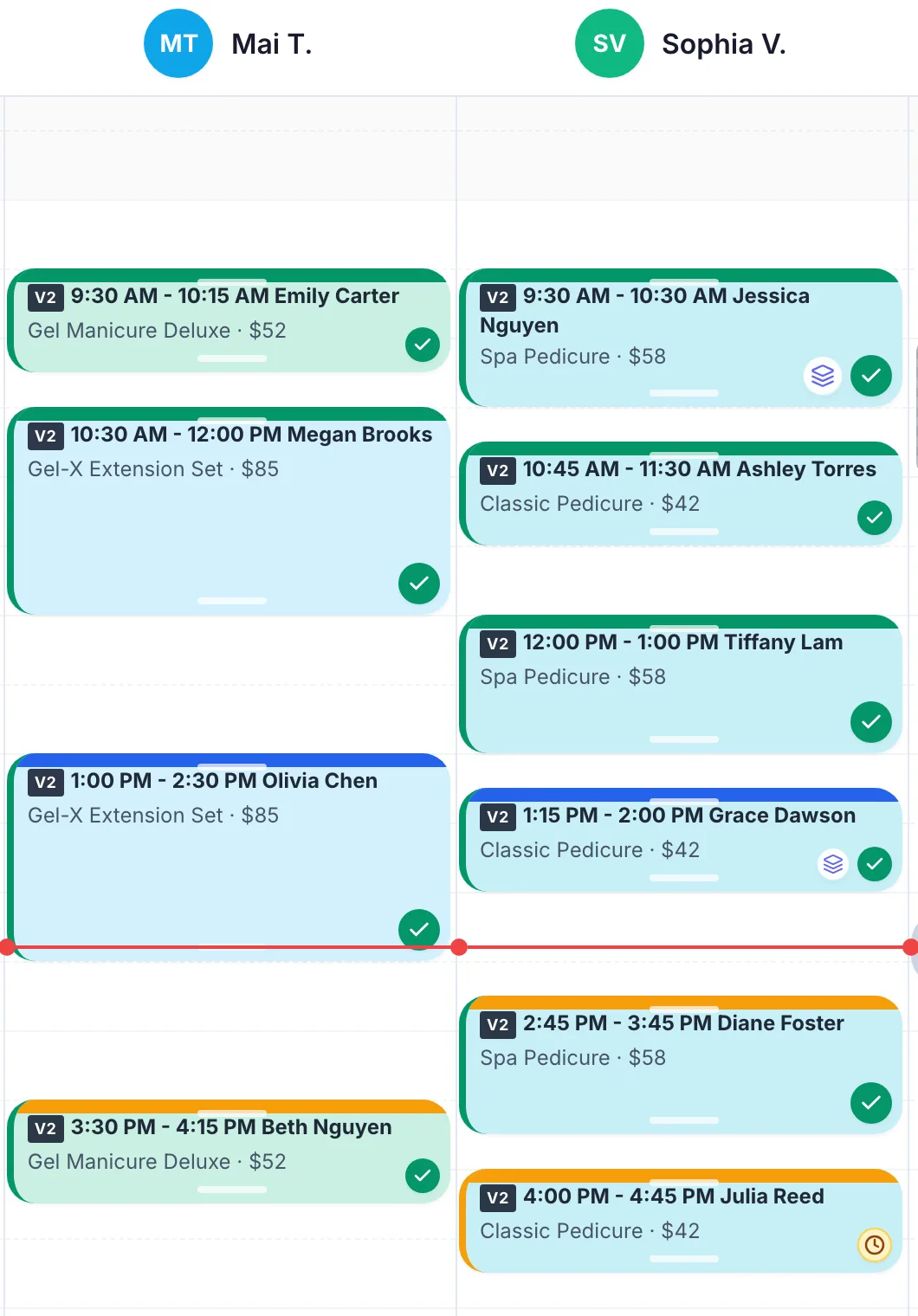
Scheduling built for real salon days
The calendar is staff-, service-, and location-aware — it books what can actually happen, and keeps the day moving when plans change.
Live day & week calendar
Staff columns, drag-to-reschedule, and live updates as the day changes.
Multi-service, multi-technician visits
One booking can span several services and technicians and still checkout as one ticket.
Staff-aware availability
Openings come from each technician’s schedule, service timing, blocked time, and location hours.
Blocked time & recurring blocked time
Protect lunches, classes, and standing time off on a daily, weekly, or monthly repeat.
Walk-ins in the same queue
Walk-ins join the same live queue the calendar and kiosk share.
AI-assisted time suggestions
When enabled, Navi ranks better-fit openings across technicians and times.
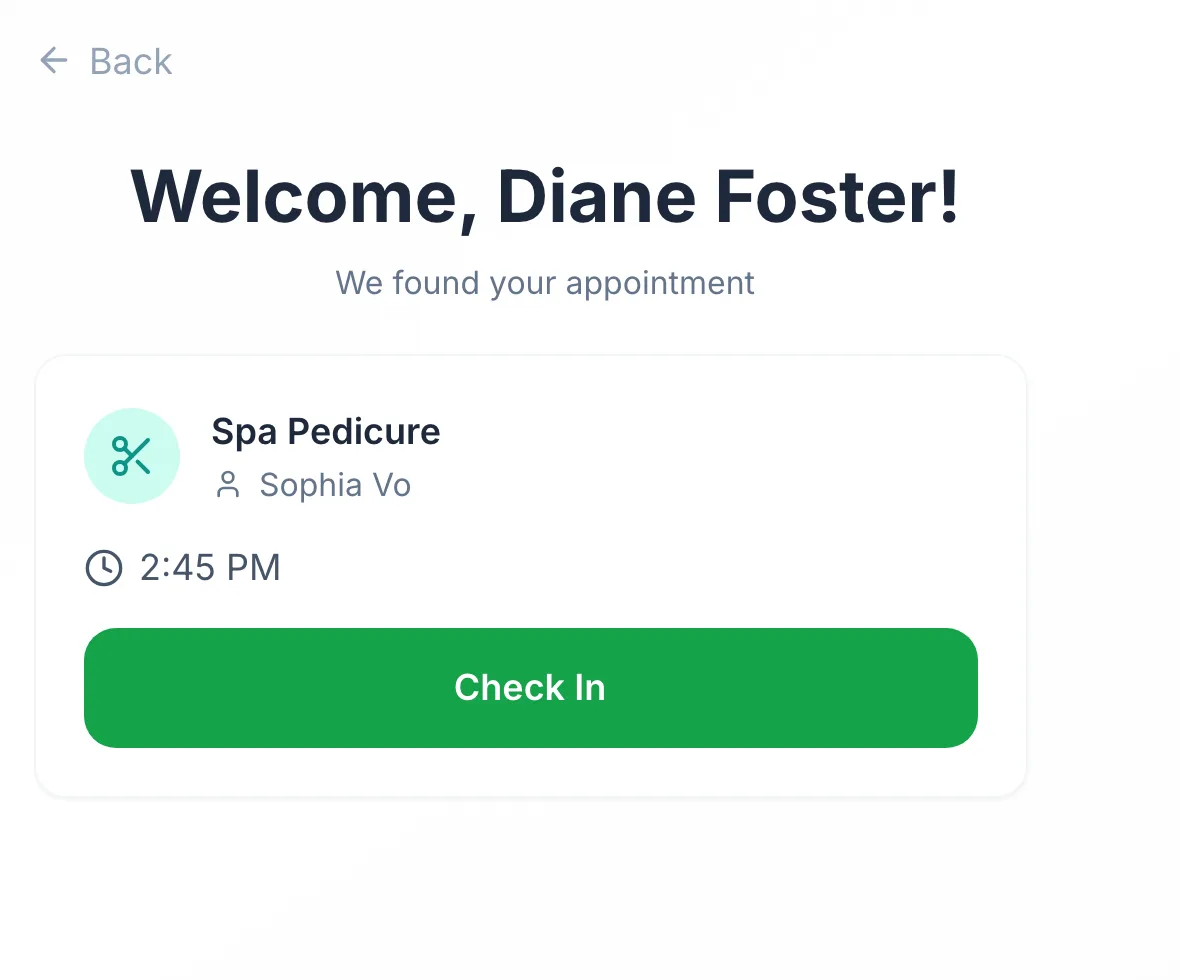
Check-in and the front desk, without the clipboard
Arrivals, walk-ins, and the queue stay visible to the whole team — whether clients check in at the kiosk or the desk.
Kiosk self check-in
Clients find their appointment by phone number; the arrival stamps the booking instantly.
Guided walk-in intake
Category, service, and technician preference in a few taps — straight into the queue.
Live queue visibility
Who arrived, who is waiting, and who needs attention — shared by desk and calendar.
Customer screens
Send ticket review, tip, and confirmation steps to a client-facing screen during checkout.
Staff notifications
Bookings, confirmations, check-ins, and walk-ins reach the right technician based on your notification settings.
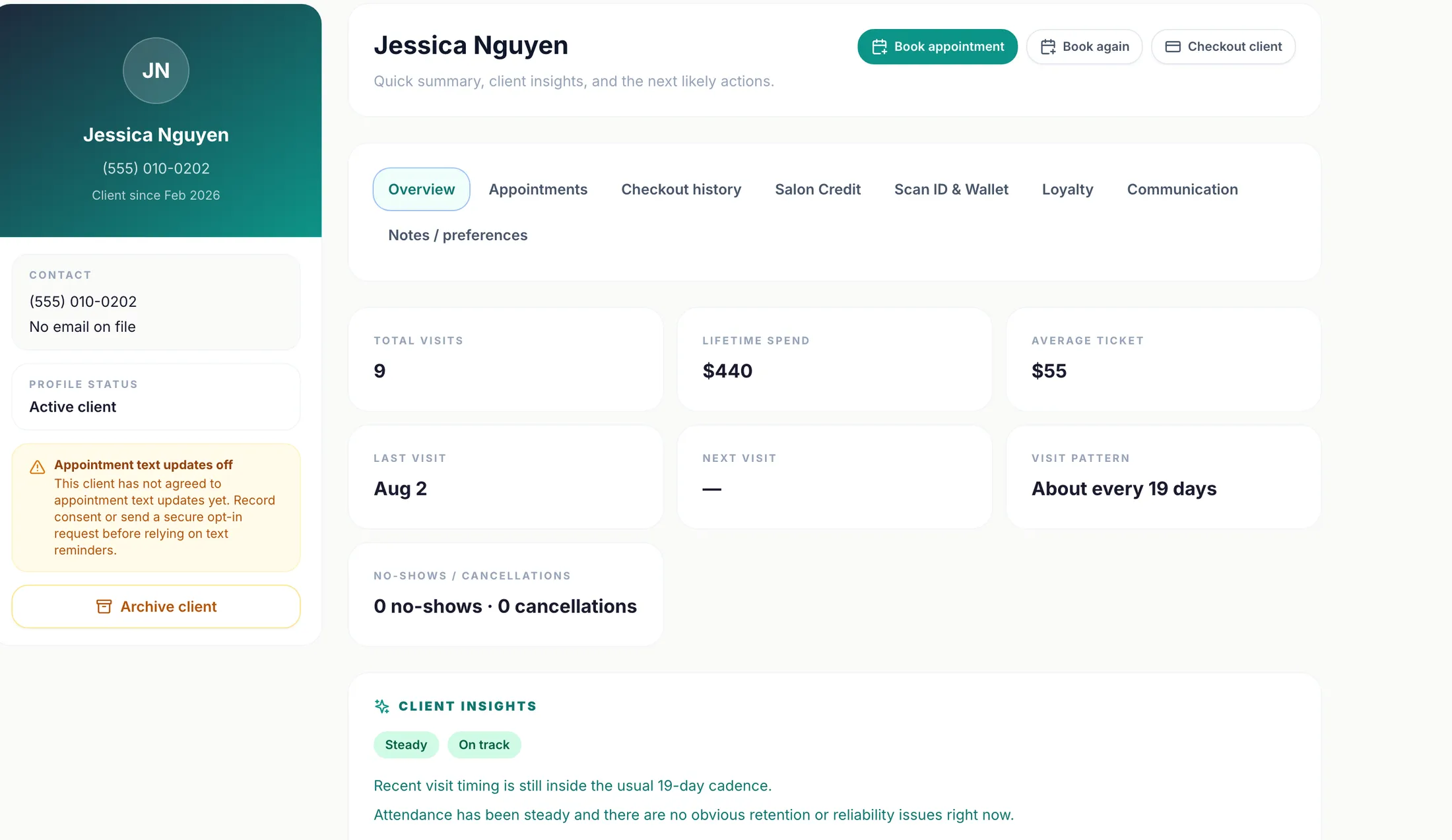
Client records that remember everything
Every visit, ticket, preference, and balance lives on one profile — so anyone at the desk can treat a regular like a regular.
Client profiles & history
Appointments, checkout history, notes, preferences, and no-show patterns in one place.
Client insights
Rebooking status, attendance patterns, preferred staff and services — computed from real visits.
Search everywhere
Find any client or appointment from the persistent search bar.
Consent-aware communication
Appointment texts and emails honor recorded consent, with opt-out awareness built in.
Confirm / reschedule / cancel links
Clients manage their existing appointment from a secure link — the calendar updates itself.
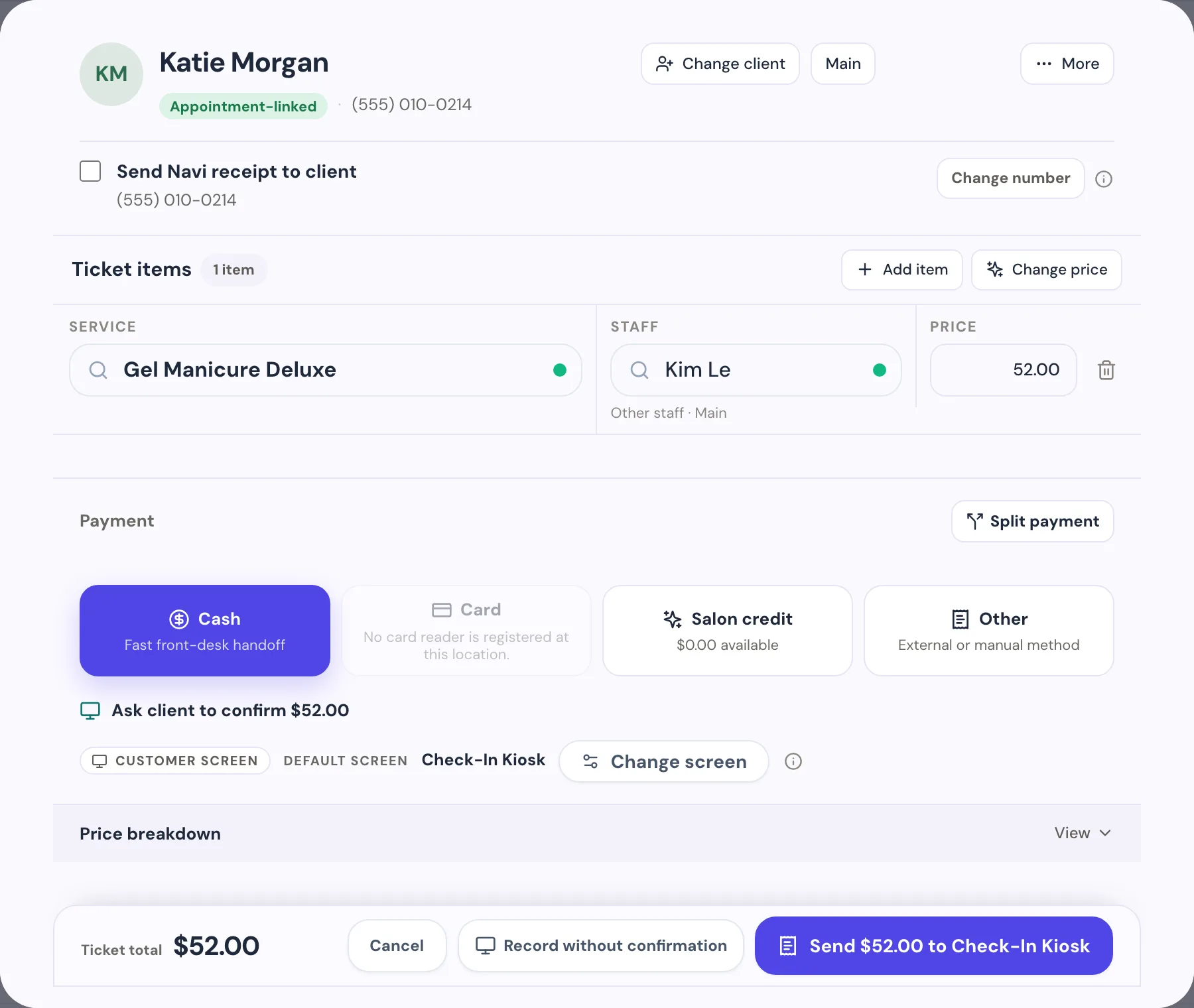
Checkout and payments on the same ticket
Every tender runs through one checkout tied to the visit. With Navi POS, the card payment itself happens inside Navi on a Stripe Terminal reader.
Appointment-linked checkout
The ticket starts from the visit — services, staff, and prices already in place.
Cash, salon credit, gift & external cards
Recording-only tenders are available on every plan, always.
Integrated card payments (Pro + POS)
Stripe Terminal readers, itemized client confirmation, and tips on the reader. Payments processed securely by Stripe.
Split payments & tips
Split tenders and record tips that flow to payroll and closeout.
Receipts
Secure receipts by text where enabled, tied to the transaction record.
Refunds & corrections (Pro + POS)
Full card refunds and payment-record corrections start from Records, gated by manager approval.
Retail products & sales tax
Sell products on the same ticket with per-ticket sales tax (Pro + POS).
Retention built into the visit
Salon Credit, loyalty, and wallet member cards give clients a concrete reason to return — tracked on the same profile as everything else.
Salon Credit (Pro)
Prepaid, cash-backed balances with bonus-credit reward rules and a searchable ledger.
Loyalty rewards (Pro)
Reward repeat visits automatically at checkout.
Wallet member cards (Pro)
Scan-ready member cards clients save to Apple Wallet or Google Wallet.
Scan ID lookup
Faster client lookup at check-in, checkout, and credit redemption.
Owner controls and a reviewable day
Approvals, permissions, records, and closeout keep the business reviewable — even when the owner is not standing at the desk.
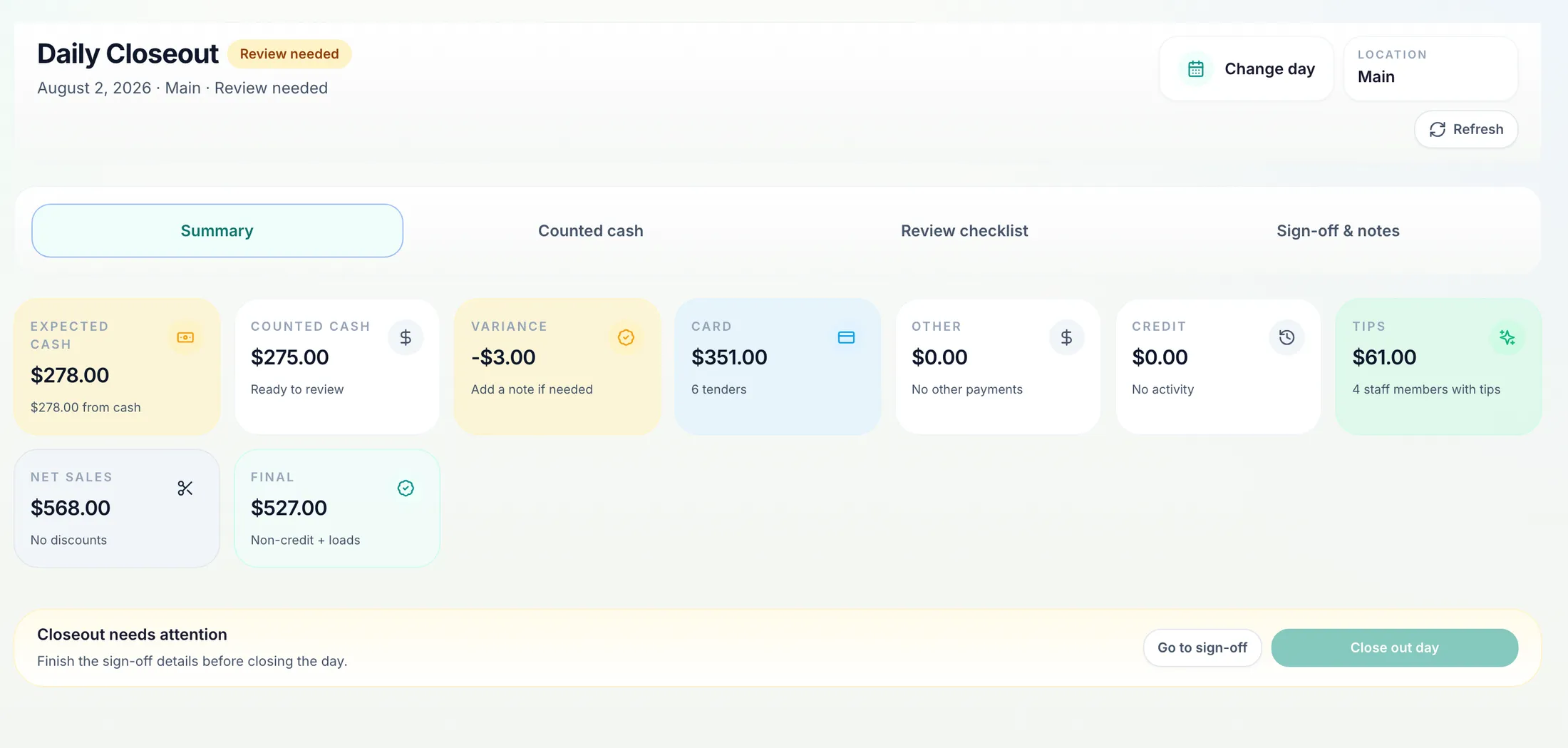
Daily closeout
Expected vs. counted cash, card totals, tips, net sales, and sign-off — per location, per day.
Manager approvals & PINs
Refunds, corrections, and salon-credit moves require an approval and keep a record of who approved.
Transaction records
Every checkout, tender, receipt, correction, and refund stays searchable.
Staff permissions
Role-based access controls what each person can see and do.
Activity history
Bookings and operational changes keep an audit-friendly trail.
Team, payroll, and reporting
Because tickets, tips, and services live in one system, payroll and reporting come from what actually happened — not from re-typed spreadsheets.
Staff profiles & schedules
Working hours, titles, colors, and per-location assignment.
Payroll workspace (Growth+)
Commission and payroll figures derived from recorded checkouts and tips.
Reports & exports (Growth+)
Staff, retention, and service analytics with exportable data.
Owner dashboard
Today’s bookings, load, and salon status at a glance.
Locations are first-class, not bolted on
Hours, staff, kiosks, and closeout are per-location, with one owner view across the business. Plans support up to 3 locations today.
Per-location hours & staff
Each location keeps its own opening hours and team.
Location-aware scheduling
Availability, walk-ins, and kiosks are scoped to the location.
Per-location closeout
Each location closes its own day; the owner reviews them all.
Switching without starting over
Import clients, services, staff, locations, hours, and upcoming appointments from spreadsheets with guided templates — and get help when you need it.
Spreadsheet imports
Guided .xlsx/.csv templates with sample rows and a field guide for each data type.
Exports too
Your data is yours — the same tools export it back out.
Setup help
Email support walks you through mapping your current setup onto Navi.
See it with your own services and staff — setup is guided and free.